uv run: Run Python Scripts With Zero Dependency Management
Learn to use uv run to execute Python scripts instantly. No venv or pip install needed. Covers --with dependencies, PEP 723 metadata, and shebang scripts.

Updated Published 43 min read
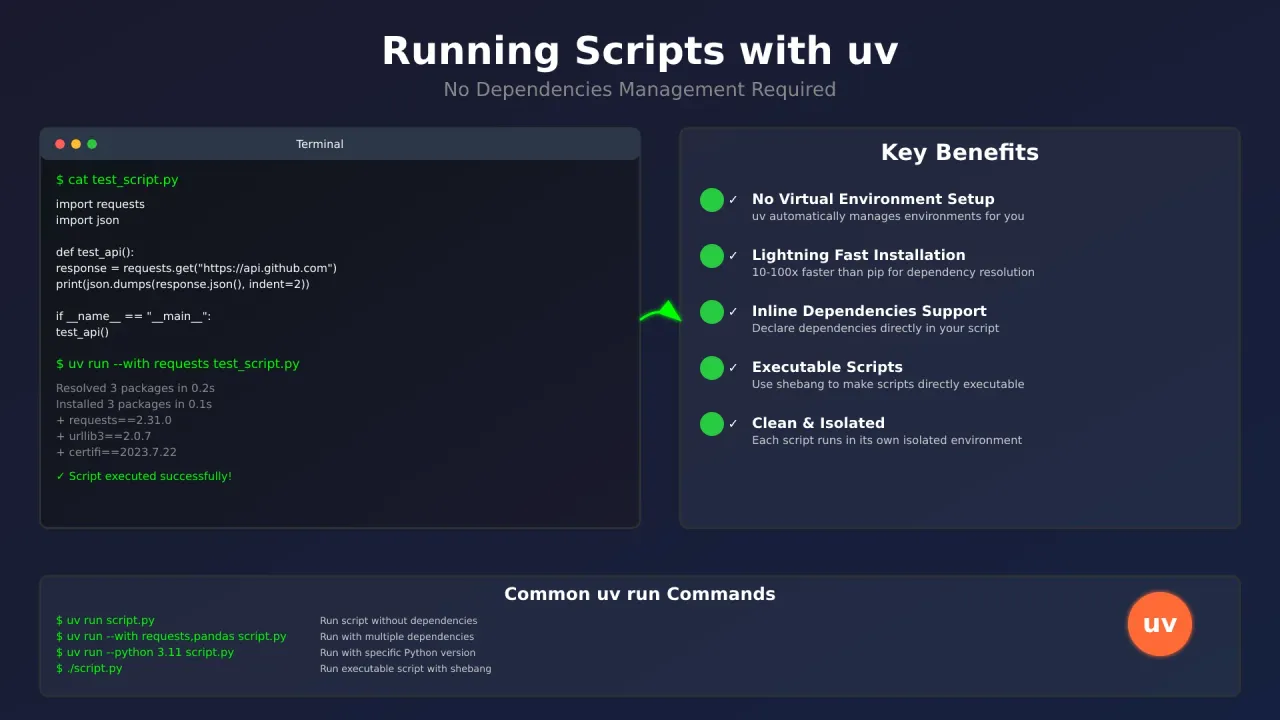
Run any Python script with dependencies in a single command. No virtual environment, no pip install, no requirements.txt. uv run handles everything: it resolves dependencies, creates an isolated environment, executes your script, and caches the result for fast re-runs.
uv is an Apache-2.0/MIT, Rust-based Python package manager built by Astral (now an OpenAI company). As of this writing, the current version is 0.12.x. It remains fully open-source and the project’s release cadence hasn’t slowed since the acquisition.
New to uv?
Check out Getting Started with uv first to install uv and understand the basics.
Why use uv run for Python scripts?
The traditional Python workflow for running a script with external dependencies looks like this:
- Create a virtual environment
- Activate it
- Install dependencies with pip
- Run the script
- Deactivate and optionally clean up
With uv run, that entire sequence collapses to one line:
uv run --with requests myscript.pyuv resolves the dependency, creates an isolated environment (cached for reuse on subsequent runs), executes the script, and you’re done. The environment isn’t deleted after each run. It’s cached under ~/.cache/uv so repeated executions with the same dependencies are near-instant. You just never have to think about it.
Running scripts without dependencies (uv run)
The simplest case: a script that only uses Python’s standard library.
# test_basic.py
import os
import sys
import json

def system_info():
    info = {
        "python_version": sys.version,
        "platform": sys.platform,
        "user_home": os.path.expanduser("~"),
        "current_directory": os.getcwd()
    }
    print(json.dumps(info, indent=2))

if __name__ == "__main__":
    system_info()
Run it:
uv run test_basic.pyExpected output:
{
  "python_version": "3.13.5 (main, Jun 11 2025, 15:30:20)",
  "platform": "linux",
  "user_home": "/home/username",
  "current_directory": "/home/username/scripts"
}
Running inside a project directory?
If you run uv run script.py inside a directory that contains a pyproject.toml, uv will install the current project’s dependencies first, even if your script doesn’t need them. Use uv run --no-project script.py to skip project discovery and run the script in isolation. Note: the --no-project flag must come before the script name.
Running scripts with external dependencies (uv run –with)
This is where uv really shines. Create a script that needs third-party packages and specify them on the command line:
# test_api.py
import requests
import json
from datetime import datetime

def test_github_api():
    """Fetch GitHub API data for the astral-sh org"""
    try:
        response = requests.get("https://api.github.com/users/astral-sh")
        data = response.json()

        print(f"✅ API Response Status: {response.status_code}")
        print(f"🏢 Organization: {data.get('name', 'N/A')}")
        print(f"📍 Location: {data.get('location', 'N/A')}")
        print(f"👥 Public Repos: {data.get('public_repos', 0)}")
        print(f"⏰ Tested at: {datetime.now().strftime('%Y-%m-%d %H:%M:%S')}")

    except requests.exceptions.RequestException as e:
        print(f"❌ API request failed: {e}")
    except KeyError as e:
        print(f"❌ Unexpected API response format: {e}")

if __name__ == "__main__":
    test_github_api()
Run it with the --with flag:
uv run --with requests test_api.pyExpected output (the public_repos value changes over time. Re-run to check the current count):
✅ API Response Status: 200
🏢 Organization: Astral
📍 Location: United States of America
👥 Public Repos: 82
⏰ Tested at: 2026-08-23 10:15:42
You can specify multiple dependencies:
uv run --with requests --with pandas --with matplotlib data_analysis.pyOr use version constraints:
uv run --with 'requests>=2.31.0,<3.0.0' --with 'pandas>=2.0.0' test_script.pyIf you get a ModuleNotFoundError, the most common cause is a missing --with flag or a typo in the package name.
For a real-world API monitoring example, see our bulk URL checker script built with uv.
Using inline script metadata (PEP 723)
For scripts you’ll run more than once, embedding dependency information directly in the file is cleaner than passing --with flags every time. Python’s PEP 723 standard defines an inline metadata format that uv reads automatically.
Understanding the PEP 723 header format
The inline metadata uses a special comment block at the top of your Python file:
# /// script
# dependencies = [
#   "requests>=2.31.0",
#   "rich>=13.0.0"
# ]
# requires-python = ">=3.11"
# [tool.uv]
# exclude-newer = "2026-01-01T00:00:00Z"
# ///
Here’s what each field does:
dependencies: Lists all Python packages your script needs, using pip-style syntax:
"requests>=2.31.0": minimum version"pandas>=2.0.0,<3.0.0": version range"rich": latest available"django==4.2.7": exact pin
This field must be present even if your script has no external dependencies. Use dependencies = [] in that case.
requires-python: Specifies the Python version requirement using PEP 440 syntax:
">=3.11": Python 3.11 or newer">=3.11,<3.14": Python 3.11, 3.12, or 3.13 only
[tool.uv] section: Optional uv-specific configuration:
exclude-newer: Only consider packages released before this timestamp (RFC 3339 format). Improves reproducibility by preventing a future package release from changing your resolution.
Complete example: GitHub profile analyzer
# /// script
# dependencies = [
#   "requests>=2.31.0",
#   "rich>=13.0.0",
#   "click>=8.0.0"
# ]
# requires-python = ">=3.11"
# [tool.uv]
# exclude-newer = "2026-01-01T00:00:00Z"
# ///

import requests
import click
from rich.console import Console
from rich.table import Table

console = Console()

@click.command()
@click.option('--username', prompt='GitHub username', help='GitHub username to analyze')
def analyze_github_user(username):
    """Analyze a GitHub user's profile and repositories"""

    with console.status(f"[bold green]Fetching data for {username}..."):
        try:
            user_response = requests.get(f"https://api.github.com/users/{username}")
            user_response.raise_for_status()
            user_data = user_response.json()

            repos_response = requests.get(f"https://api.github.com/users/{username}/repos")
            repos_response.raise_for_status()
            repos_data = repos_response.json()

        except requests.exceptions.RequestException as e:
            console.print(f"[bold red]Error fetching data: {e}")
            return

    console.print(f"\n[bold blue]GitHub User Analysis: {username}[/bold blue]")
    console.print(f"Name: {user_data.get('name', 'N/A')}")
    console.print(f"Bio: {user_data.get('bio', 'N/A')}")
    console.print(f"Public Repos: {user_data.get('public_repos', 0)}")
    console.print(f"Followers: {user_data.get('followers', 0)}")

    table = Table(title=f"Top Repositories for {username}")
    table.add_column("Repository", style="cyan")
    table.add_column("Stars", style="magenta")
    table.add_column("Language", style="green")
    table.add_column("Description", style="yellow")

    top_repos = sorted(repos_data, key=lambda x: x.get('stargazers_count', 0), reverse=True)[:10]

    for repo in top_repos:
        table.add_row(
            repo['name'],
            str(repo.get('stargazers_count', 0)),
            repo.get('language', 'N/A'),
            (repo.get('description', 'N/A') or 'N/A')[:50] + "..."
        )

    console.print(table)

if __name__ == "__main__":
    analyze_github_user()
Save it as github_analyzer.py and run:
uv run github_analyzer.pyuv reads the inline metadata, installs requests, rich, and click automatically, then executes the script.
More PEP 723 examples
Data Analysis
# /// script
# dependencies = [
#   "pandas>=2.0.0",
#   "matplotlib>=3.7.0"
# ]
# requires-python = ">=3.10"
# ///

import pandas as pd
import matplotlib.pyplot as plt

data = pd.read_csv('data.csv')
plt.plot(data['x'], data['y'])
plt.title("Data Analysis")
plt.show()
Run with: uv run data_analysis.py
API Testing
# /// script
# dependencies = [
#   "httpx>=0.27.0",
#   "pytest>=8.0.0"
# ]
# requires-python = ">=3.10"
# [tool.uv]
# exclude-newer = "2026-01-01T00:00:00Z"
# ///

import httpx
import pytest

def test_health_endpoint():
    response = httpx.get("https://api.example.com/health")
    assert response.status_code == 200

def test_users_endpoint():
    response = httpx.get("https://api.example.com/users")
    assert response.status_code == 200
    assert len(response.json()) > 0
Run with: uv run api_tests.py
Report Generator
# /// script
# dependencies = [
#   "pandas>=2.0.0",
#   "rich>=13.0.0"
# ]
# requires-python = ">=3.10"
# ///

import pandas as pd
from rich.console import Console
from rich.table import Table

console = Console()

df = pd.read_csv("sales.csv")
summary = df.groupby("product").agg({"amount": "sum", "quantity": "sum"}).reset_index()

table = Table(title="Sales Summary")
table.add_column("Product", style="cyan")
table.add_column("Revenue", style="green")
table.add_column("Units Sold", style="magenta")

for _, row in summary.iterrows():
    table.add_row(row["product"], f"${row['amount']:,.2f}", str(int(row["quantity"])))

console.print(table)
Run with: uv run report.py
Configuring a private package index
The old index-url and extra-index-url fields in [tool.uv] are deprecated. The modern approach uses [[tool.uv.index]] tables:
# /// script
# dependencies = ["requests>=2.31.0"]
# requires-python = ">=3.10"
# [[tool.uv.index]]
# url = "https://pypi.example.com/simple"
# ///
You can also add indexes via the CLI when managing scripts:
uv add --script example.py --index "https://pypi.example.com/simple" 'requests<3'For the default index override, use --default-index instead of the deprecated --index-url.
Script lifecycle: init → add → run → lock → audit
Hand-editing the # /// block works, but uv now has first-class commands for managing script metadata. This is the fastest path from idea to running script.
1. Scaffold a new script
uv init --script healthcheck.py --python 3.12This creates healthcheck.py with a PEP 723 header already in place.
2. Add dependencies
uv add --script healthcheck.py 'httpx>=0.27' 'rich'uv updates the inline metadata in the file. No manual TOML editing.
3. Run it
uv run healthcheck.py https://example.com4. Lock for reproducibility
uv lock --script healthcheck.pyThis creates healthcheck.py.lock, an adjacent lock file that pins exact dependency versions. Verify it exists:
ls healthcheck.py.lock5. Run with locked deps only
uv run --locked healthcheck.pyThis fails if the lock file is missing or stale, which is exactly what you want in CI.
6. Audit for known CVEs
uv audit --script healthcheck.pyThis checks your locked dependencies against known vulnerability databases. Note: the script must be locked first. uv audit on an unlocked script will error.
7. Inspect the dependency tree
uv tree --script healthcheck.py8. Remove a dependency
uv remove --script healthcheck.py richThis lifecycle (init -> add -> run -> lock -> audit) turns “edit TOML by hand” into a managed workflow with reproducibility and security auditing built in.
Creating executable scripts with a uv shebang
For scripts you run frequently, add a shebang to make them directly executable. The #!/usr/bin/env -S uv run --script line tells the system to use uv to run the script. There’s also a short alias: -s instead of --script.
#!/usr/bin/env -S uv run --script
# /// script
# dependencies = [
#   "httpx>=0.27.0",
#   "typer>=12.0.0"
# ]
# requires-python = ">=3.11"
# ///

import httpx
import typer
from typing import Optional

app = typer.Typer()

@app.command()
def check_website(
    url: str = typer.Argument(..., help="Website URL to check"),
    timeout: Optional[int] = typer.Option(10, help="Request timeout in seconds")
):
    """Check if a website is up and running"""

    if not url.startswith(('http://', 'https://')):
        url = f"https://{url}"

    try:
        with httpx.Client(timeout=timeout) as client:
            response = client.get(url)

        if response.status_code == 200:
            typer.echo(f"✅ {url} is UP (Status: {response.status_code})")
            typer.echo(f"Response time: {response.elapsed.total_seconds():.2f}s")
        else:
            typer.echo(f"⚠️  {url} returned status {response.status_code}")

    except httpx.RequestError as e:
        typer.echo(f"❌ {url} is DOWN - {e}")
    except httpx.TimeoutException:
        typer.echo(f"❌ {url} timed out after {timeout} seconds")

if __name__ == "__main__":
    app()
Make it executable and run it:
chmod +x website_checker.py
./website_checker.py github.com
Managing Python versions in scripts
You can specify which Python version to use for any script run:
# Run with Python 3.12
uv run --python 3.12 test_script.py

# Run with Python 3.13
uv run --python 3.13 test_script.py
If the requested version isn’t installed, uv downloads it automatically. No manual installation needed. Need to install Python on your system first? See our guide on how to install and manage Python versions.
You can also pin the version in inline metadata:
# /// script
# requires-python = ">=3.11"
# dependencies = ["aiohttp>=3.9"]
# ///

import asyncio
import aiohttp

async def fetch_url(session, url):
    async with session.get(url) as response:
        return await response.text()

async def main():
    urls = [
        "https://httpbin.org/delay/1",
        "https://httpbin.org/delay/2",
        "https://httpbin.org/delay/3"
    ]

    async with aiohttp.ClientSession() as session:
        tasks = [fetch_url(session, url) for url in urls]
        results = await asyncio.gather(*tasks)

    print(f"Fetched {len(results)} URLs successfully!")

if __name__ == "__main__":
    asyncio.run(main())
Note: asyncio is part of Python’s standard library — it’s not a PyPI package and should not be listed in dependencies.
Environment variables and secrets (.env files)
Scripts that call APIs usually need secrets. Instead of hardcoding them, use --env-file:
uv run --env-file .env api_probe.pyYour .env file:
API_KEY=sk-abc123
API_BASE_URL=https://api.example.com
Your script reads them with os.environ:
import os

api_key = os.environ["API_KEY"]
base_url = os.environ.get("API_BASE_URL", "https://api.default.com")
To disable .env loading (e.g., in CI where you set env vars differently), pass --no-env-file.
Never commit .env files
Add .env to your .gitignore immediately. Secrets in version control are a breach waiting to happen.
Stdin and remote scripts
You can pipe scripts directly to uv via stdin:
echo 'print("hello from stdin")' | uv run -Or use heredoc syntax:
uv run - <<'EOF'
import sys
print(f"Running on Python {sys.version}")
EOF
uv run also accepts an HTTP(S) URL — it downloads and executes the script:
uv run https://example.com/scripts/healthcheck.pySecurity warning for remote scripts
Running a script from a URL downloads and executes arbitrary code. uv will auto-install whatever dependencies the script declares in its PEP 723 header. Only run remote scripts from sources you trust. This feature is also disabled in some corporate and CI environments.
Web scraping and markdown conversion
A practical use case: scrape a webpage and convert it to clean markdown. This is a trimmed-down version — for production-grade scraping at scale, consider Bright Data’s web scraping platform. Learn more about web scraping with BrightData MCP.
# /// script
# dependencies = [
#   "requests>=2.31.0",
#   "beautifulsoup4>=4.13.0",
#   "markdownify>=0.14.0",
#   "typer>=12.0.0",
#   "rich>=13.0.0"
# ]
# requires-python = ">=3.10"
# ///

import requests
import typer
from bs4 import BeautifulSoup
from markdownify import markdownify as md
from rich.console import Console
from rich.panel import Panel
import re

console = Console()
app = typer.Typer()

def clean_markdown(text: str) -> str:
    text = re.sub(r'\n\s*\n\s*\n', '\n\n', text)
    return text.strip()

@app.command()
def scrape(
    url: str = typer.Argument(..., help="URL to scrape"),
    output: str = typer.Option(None, "--output", "-o", help="Output file"),
    selector: str = typer.Option(None, "--selector", "-s", help="CSS selector"),
):
    """Scrape a webpage and convert to markdown."""
    if not url.startswith(('http://', 'https://')):
        url = f"https://{url}"

    headers = {
        'User-Agent': 'Mozilla/5.0 (X11; Linux x86_64) AppleWebKit/537.36 (KHTML, like Gecko) Chrome/128.0.0.0 Safari/537.36'
    }

    response = requests.get(url, headers=headers, timeout=10)
    response.raise_for_status()

    soup = BeautifulSoup(response.content, 'html.parser')

    for tag in soup(["script", "style", "nav", "footer", "header", "aside"]):
        tag.decompose()

    if selector:
        content = soup.select_one(selector)
    else:
        content = soup.find('article') or soup.find('main') or soup.find('body')

    if not content:
        console.print("[bold red]No content found")
        return

    markdown = clean_markdown(md(str(content), heading_style='ATX', bullets='*'))

    if output:
        with open(output, 'w') as f:
            f.write(markdown)
        console.print(f"[bold green]✅ Saved to {output}")
    else:
        preview = markdown[:2000] + "..." if len(markdown) > 2000 else markdown
        console.print(Panel(preview, title="Markdown Output", border_style="green"))

if __name__ == "__main__":
    app()
Usage:
# Scrape and preview
uv run web_scraper.py https://example.com

# Save to file
uv run web_scraper.py https://blog.example.com --output article.md

# Extract specific content via CSS selector
uv run web_scraper.py https://docs.example.com --selector "article"
Best practices for uv scripts
- Use inline metadata (PEP 723) for any script you’ll run more than once
- Always specify
requires-pythonto avoid surprises on different systems - Use version constraints — pin major versions to avoid breaking changes
- Use
uv lock --scriptfor reproducible runs, especially in CI - Review the
# ///block before running scripts shared by others (see security section below) - Handle errors gracefully — network requests, file I/O, and API calls all fail
- Use
--env-filefor secrets instead of hardcoding API keys in your scripts
Security considerations for PEP 723 scripts
PEP 723 scripts auto-install and execute whatever dependencies are declared in the # /// block. This is convenient, but it’s also a vector for malicious code, especially since many software composition analysis (SCA) tools don’t yet scan inline metadata.
Review before you run
Before running a PEP 723 script from an untrusted source (GitHub gist, blog post, colleague’s snippet), read the # /// script block. Check the dependency names for typosquats (e.g., requets instead of requests). For scripts you maintain, use uv lock --script and uv audit --script to catch known CVEs.
Troubleshooting uv run scripts
ModuleNotFoundError
The most common cause: a missing --with flag or a missing/empty dependencies list in the inline metadata.
Fix: Add the --with flag on the command line, or add the package to the dependencies array in your # /// script block. Remember that dependencies must be present even if empty (dependencies = []).
Script runs against project dependencies
If you run uv run script.py inside a directory with a pyproject.toml, uv installs the current project’s dependencies first. This is usually not what you want for standalone scripts.
Fix: Add --no-project before the script name:
uv run --no-project script.pyNote: scripts with inline PEP 723 metadata automatically ignore the surrounding project — --no-project is only needed for scripts without inline metadata.
Private index authentication
If your dependencies come from a private PyPI (Azure Artifactory, AWS CodeArtifact, etc.), configure the index in your inline metadata:
# [[tool.uv.index]]
# url = "https://pkgs.dev.azure.com/myorg/_packaging/myfeed/pypi/simple/"
Or pass it on the CLI: uv run --index "https://..." script.py. For credentials, use uv auth login or set the UV_INDEX environment variable.
Cache growing too large
uv caches environments and wheels under ~/.cache/uv. Over time this can grow, especially if you run scripts with many different dependency sets.
Check size:
uv cache size --humanClean up:
uv cache clean       # remove all cached packages
uv cache prune       # remove unused cache entries
Reproducible runs in CI
For deterministic dependency resolution in CI, lock the script first and then run with --locked:
uv lock --script my_script.py
uv run --locked my_script.py
--locked fails if the lock file is missing or doesn’t match the inline metadata. Use --frozen to skip resolution entirely and use whatever is in the lock file (faster, but won’t update if metadata changed).
Performance benefits
Astral reports that uv is 10-100x faster than traditional Python package management tools. The exact speedup depends on the scenario (cold installs vs cached re-runs, number of dependencies, network latency) but the difference is noticeable in practice, especially in CI pipelines and iterative development.
Where it matters most:
- CI/CD pipelines — faster builds mean faster feedback loops
- Development workflows — run scripts without waiting for environment setup
- Data science experimentation — switch between library sets quickly
- System administration — use different tool sets per script without conflicts
Common use cases
API testing and monitoring
# Quick API health check
uv run --with requests api_health_check.py

# Test API with different HTTP methods
uv run --with httpx --with typer api_tester.py --method POST --url https://api.example.com
See our bulk URL checker script built with uv for a complete monitoring example.
Data processing and analysis
# Process CSV files
uv run --with pandas --with matplotlib data_processor.py input.csv

# Web scraping and content conversion
uv run --with beautifulsoup4 --with requests --with markdownify web_scraper.py https://example.com
System administration
# Server monitoring
uv run --with psutil --with click server_monitor.py

# Log analysis
uv run --with click --with rich log_analyzer.py /var/log/app.log
Prototyping and experimentation
# Test new libraries quickly
uv run --with fastapi --with uvicorn prototype_api.py

# Content extraction and conversion
uv run --with beautifulsoup4 --with markdownify --with typer content_converter.py
Running packaged CLI tools with uvx
If you need to run a packaged CLI tool (not a script file), use uvx instead of uv run:
uvx ruff check .
uvx httpie GET https://api.example.com
uvx black --check src/
uvx is shorthand for uv tool run — it installs the tool in an isolated environment and runs it. Use this for tools like ruff, black, httpie, mypy, etc. Use uv run for your own script files.
Conclusion
uv run eliminates the friction of Python dependency management for scripts. Whether you’re testing APIs, processing data, scraping web pages, or prototyping, you write the script and run it — uv handles the rest.
- One command to run any script with dependencies — no venv, no pip
- PEP 723 inline metadata keeps dependencies in the script file
uv init --script+uv add --script+uv lock --scriptfor a managed lifecycle--env-filefor secrets,--lockedfor CI reproducibility,uv auditfor security- 10-100x faster than traditional tools (Astral’s benchmarks)
When your script grows into something bigger, explore the best Python web frameworks for building full applications. Ready to containerize? Learn to run Python apps in Docker. And when you’re ready to deploy, deploy your uv projects with Dokploy and Railpack.
Related articles
- Getting Started with uv — install uv and set up your first project
- Text-to-Speech with uv — build an audio generation script
- Deploy a Python uv Project with Dokploy — production deployment with Git and Railpack
- Bulk URL Checker Script with uv — real-world API monitoring example